
Can I create a Custom System Template?
By support
Create a Custom System Template
Yes, You can create a Custom System Template.
Please follow below steps to create a custom system template.
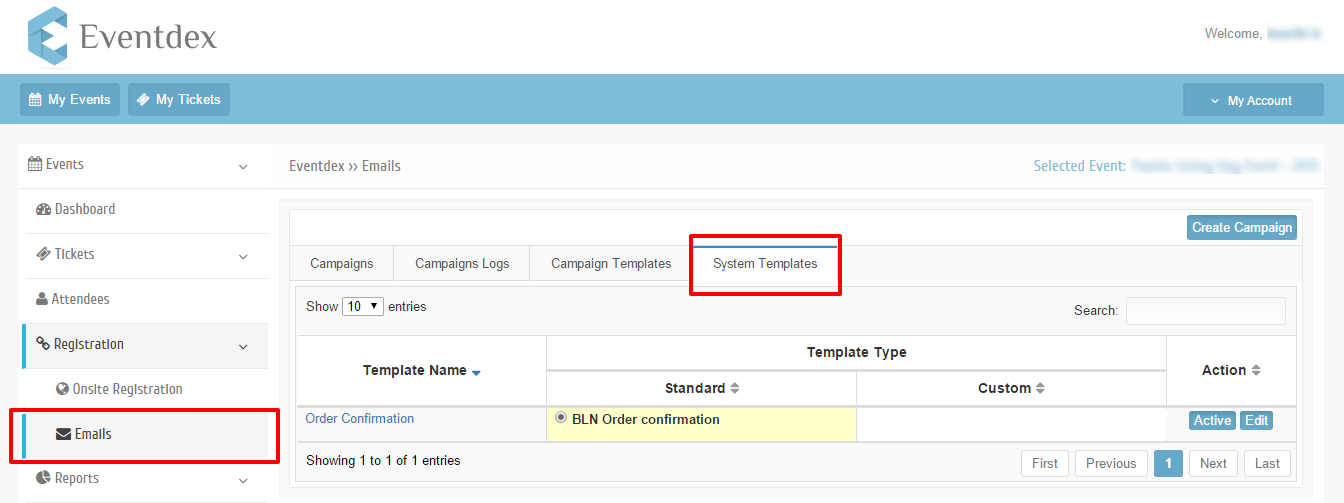
Step 1: Go to system Templates tab
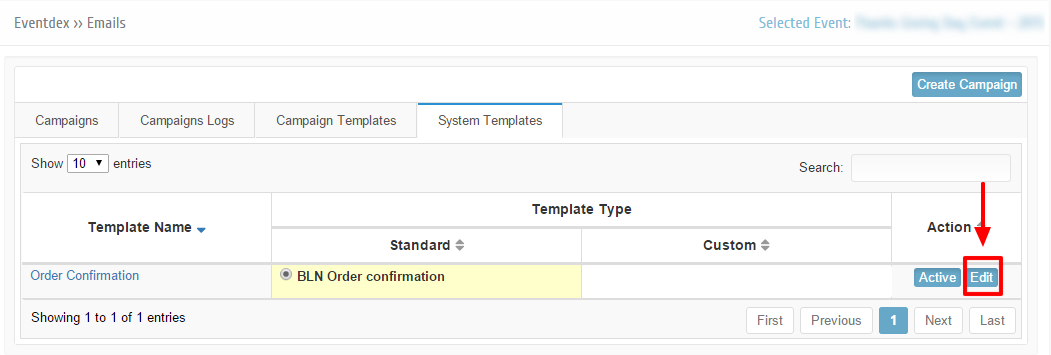
Step 2: Click on Edit button right next to the Standard Order confirmation template.
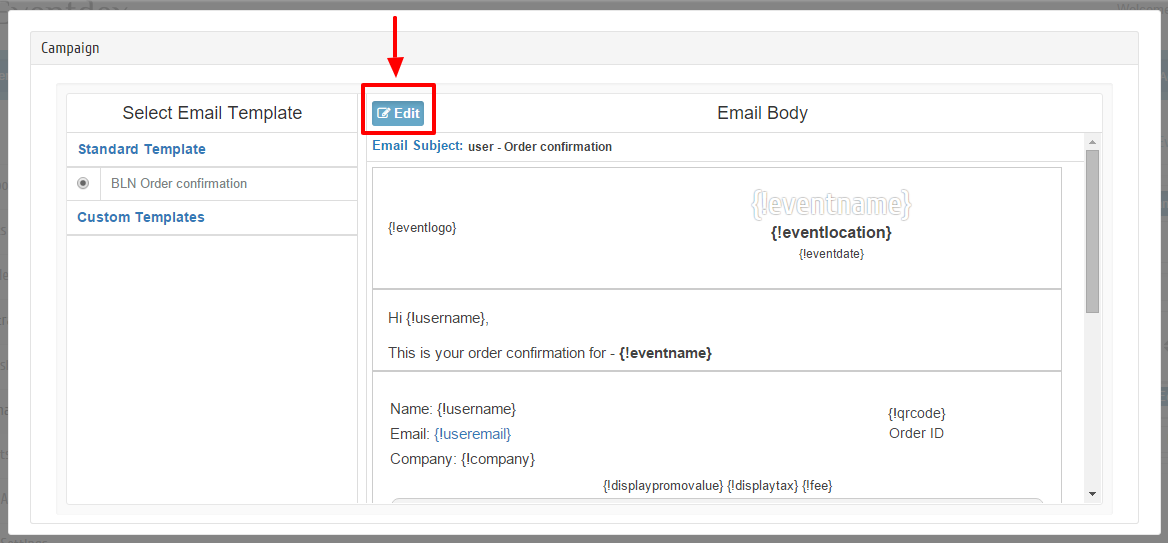
Step 3: Click on Edit button to edit standard template email body
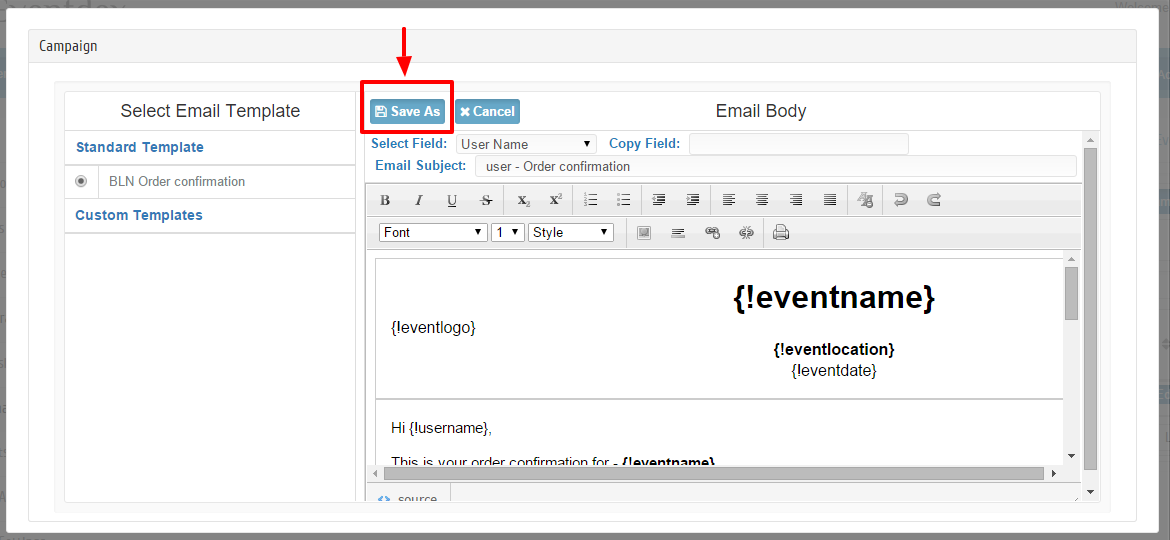
Step 4: Click on Save As button once done with edit
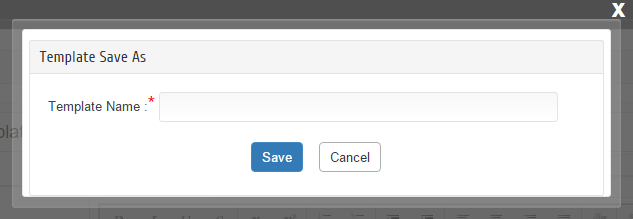
Step 5: Give new custom template name and click on Save button.
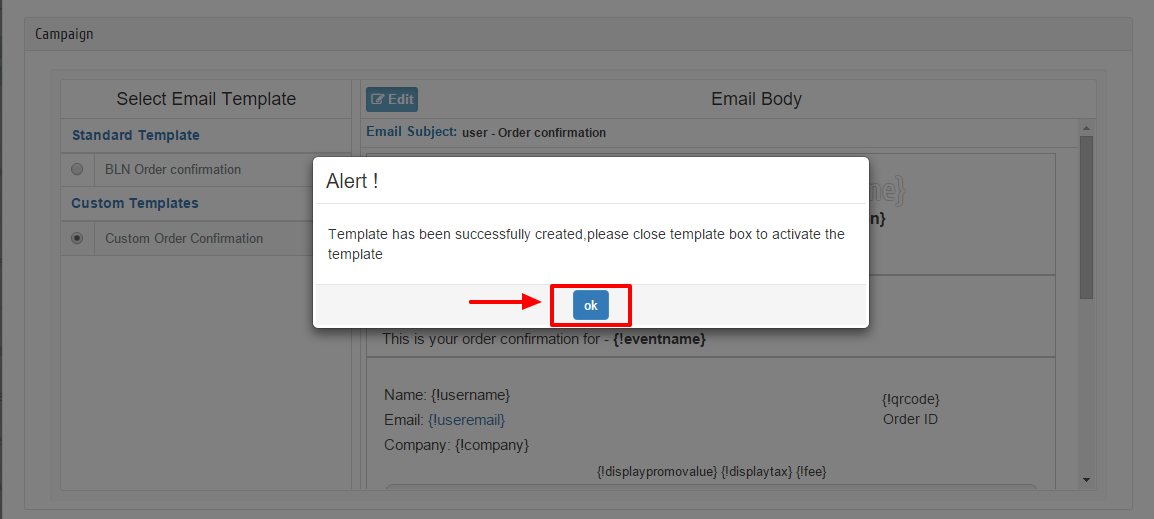
Step 6: An alert will be displayed, read the alert and click on ‘OK’ button.
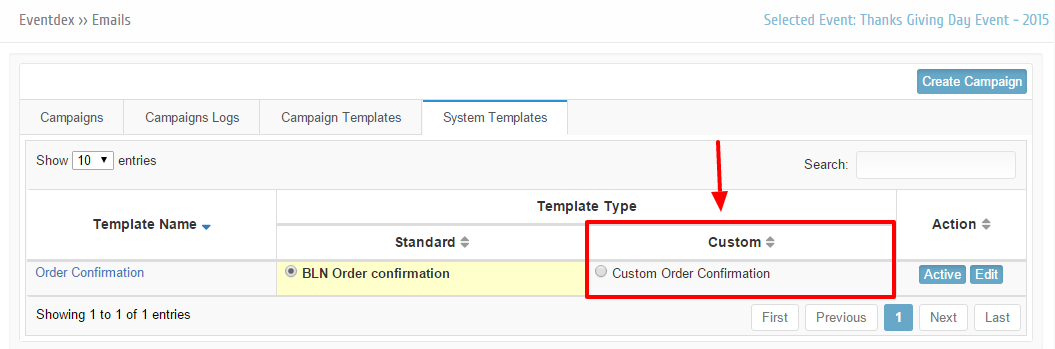
Step 7: Now Close the email template edit popup. Go to System templates tab, Custom template that you created will be displayed under Template type custom.
Step 8: Select the custom order confirmation template that you want to make active for an event and click on Active button.
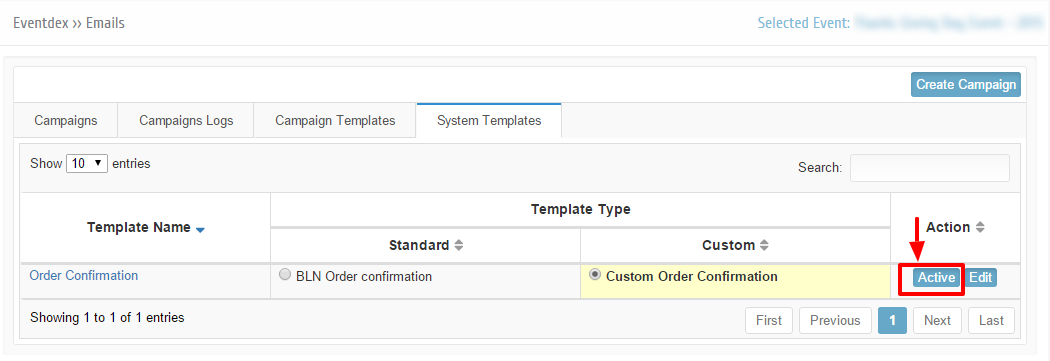
Note: You can have multiple custom templates but only one template can be Active at a time.