Dashboard
By support
After you login, you will see a list of events that you have registered
Step 1: Click on the specific “event” you will see the “Dashboard”.
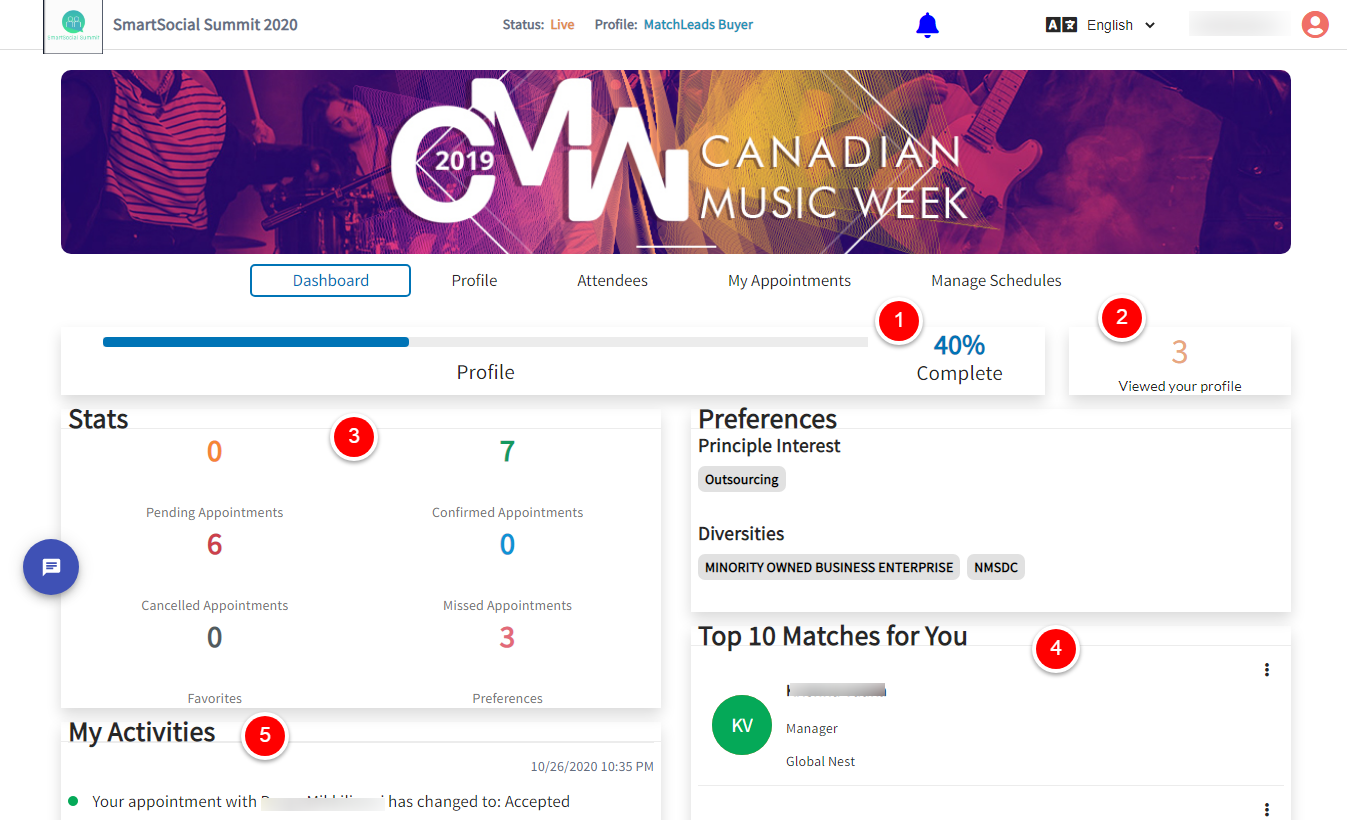
Step 2: In the Dashboard tab, you will have the option to view the following features:
- Profile percentage completion click here for more info
- Total number of attendees that viewed your profile. click here for more info
- Dashboard Stats click here for more info
- Top Matches for you click here for more info
- My activities. click here for more info