How to Block or Unblock time slots by Event Admin
By Krishna Vaaka
Event Admin can also Block or Unblock the Time Slots of the Attendee.
Here are the steps:
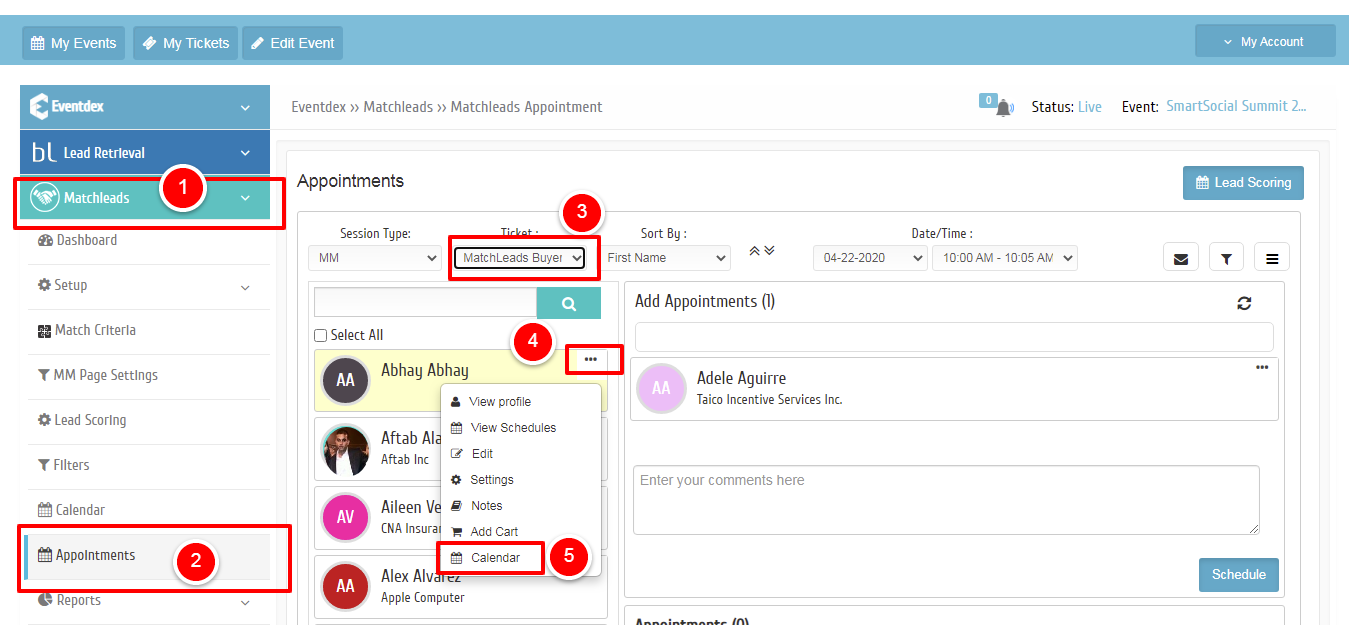
- Go to the Appointments screen under MatchLeads
- Select the Attendee based on a ticket category
- Click on the three dots next to the attendee
- Click on Calendar
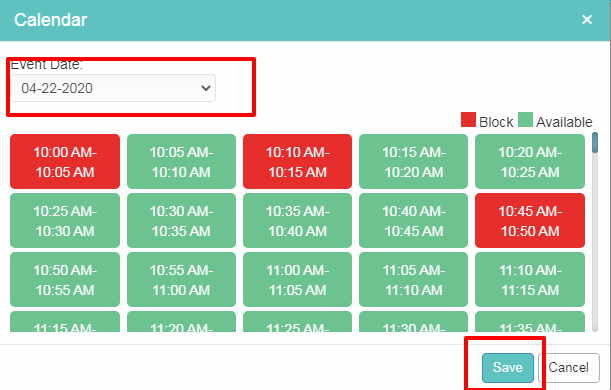
- Choose the date (If multi-day event)
- Click on the Block/Unblock on the time slot and Save it.
Here are the images: