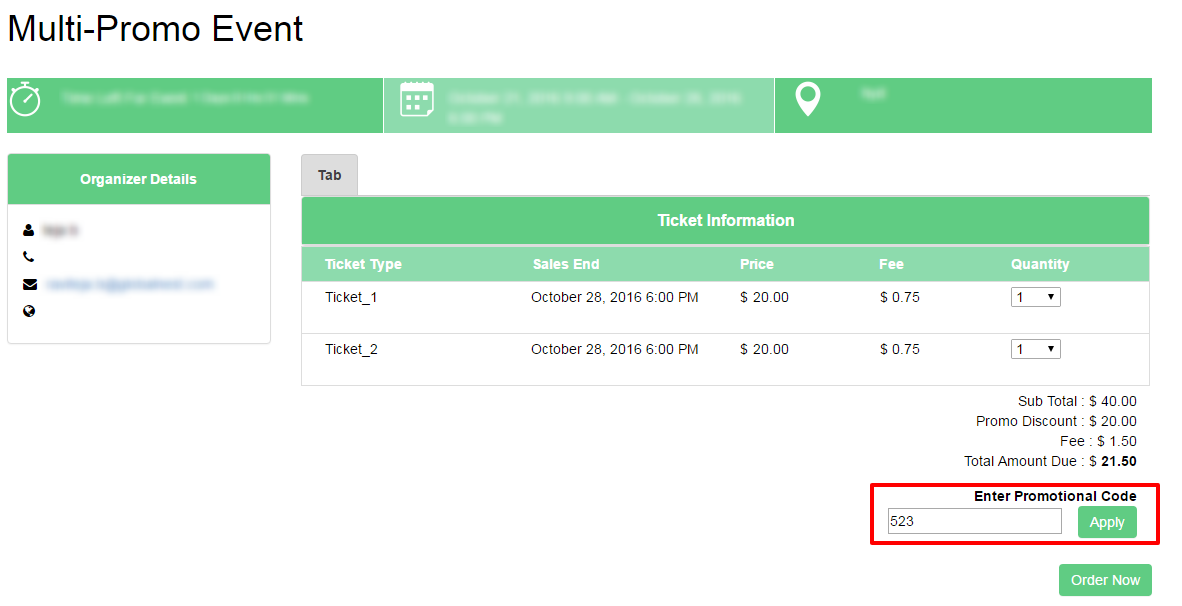
How to Enable the Promo Field in Registration Page?
By support
Path: Go to Eventdex Portal and login into your Eventdex account, Expand Event Settings tab under the event you are hosting and then click on Display Settings.
Step 1:In display Settings, Include Registration page Widgets, PromoCode check box is OFF by default. To display promotional field in registration page check mark the box and save.
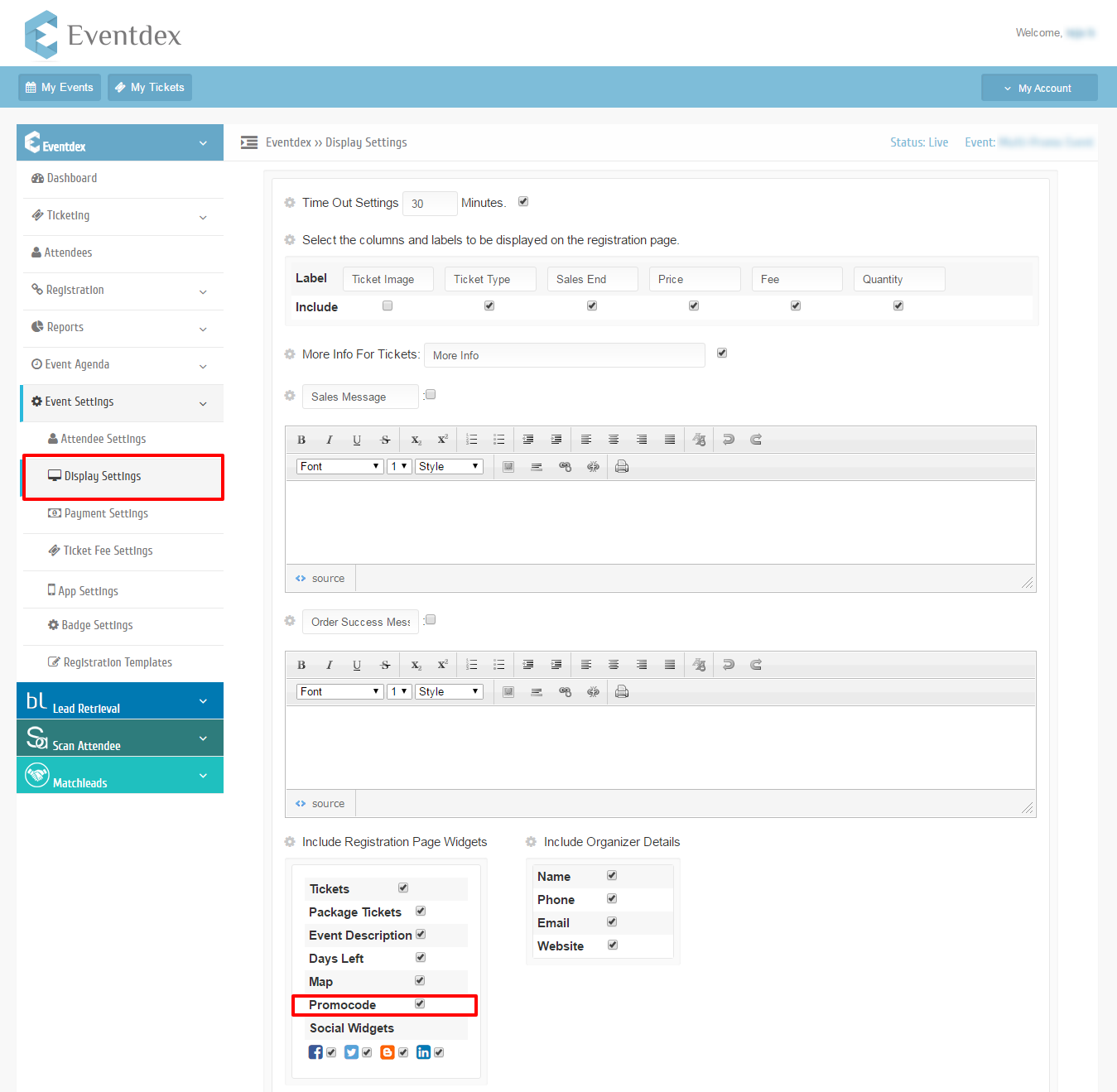
Step 2: Click on ‘Save’ button to save the changes.
Click on ‘Cancel’ button to exit display settings edit page without saving changes.
Step 3:The Promo will display on Registration page.