
How to manage user profile in Scan Attendee app?
By support
Manage User Profile
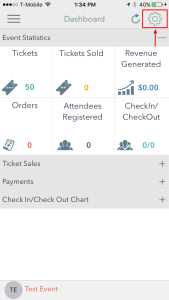
Step 1: From Dashboards Screen Click on Settings button.
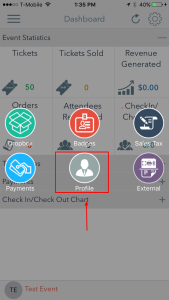
Step 2: Click on Profile
User can see his/her profile and can edit his/her profile.
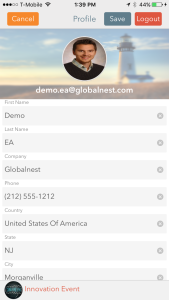
- User Photo
- First Name
- Last Name
- Company Name
- Phone
- Country
- State
- City
Step 3: Click on Save button to save all changes made to user profile.