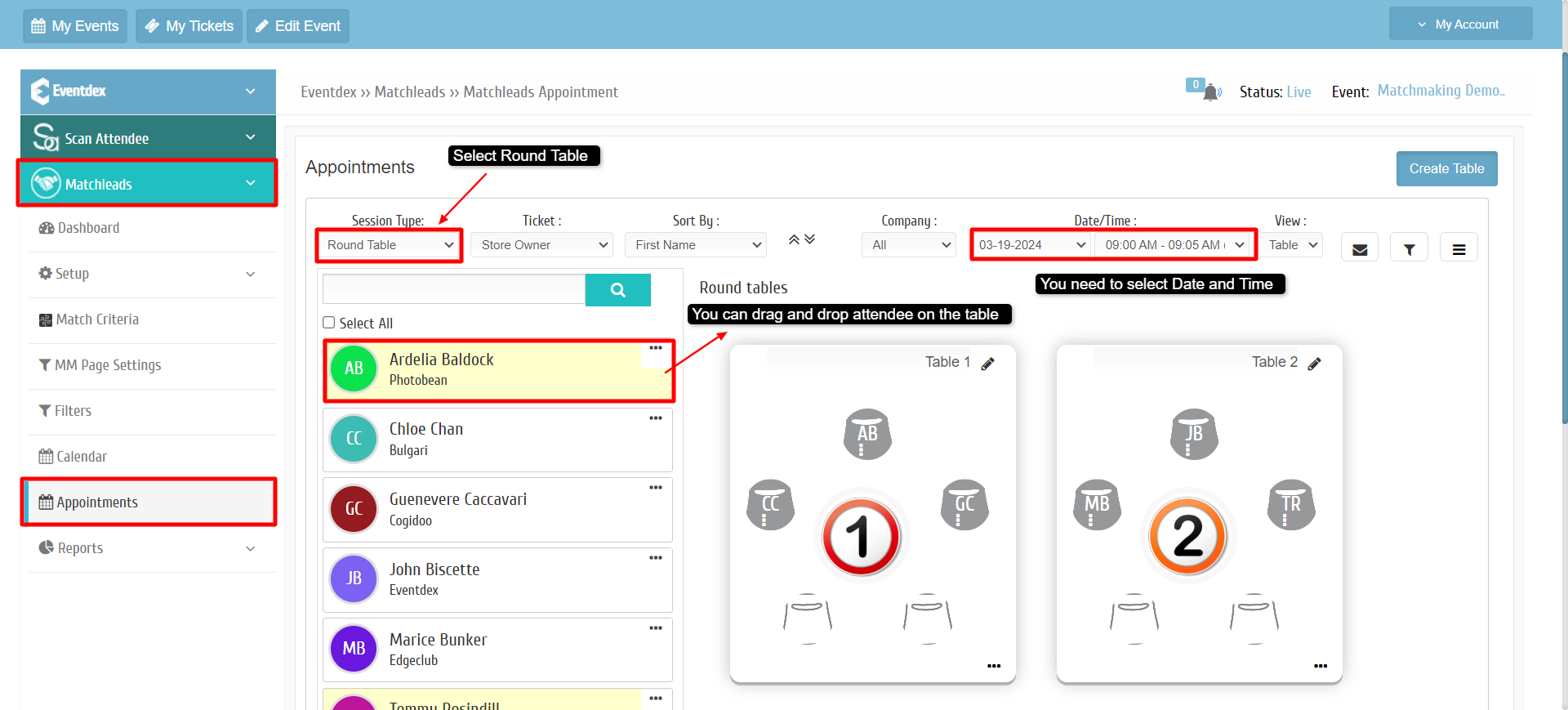
How Admin can assign Attendees to the Round Table
By Krishna Vaaka
To assign attendees to Roundtables on Eventdex Portal, please follow the steps below:
Path : Go to Eventdex Portal >> Login with your credentials >> Matchleads >> Setup >> Roundtables >> Appointments.
Select Session Type as Round Table and Select Date / Time.
To assign an attendee to the Round Table, simply drag and drop the attendee onto the table.