
How Can I Edit Attendee Details?
By support
Step 1:Go to Eventdex >> Attendees and search for the attendee that you wish to edit.
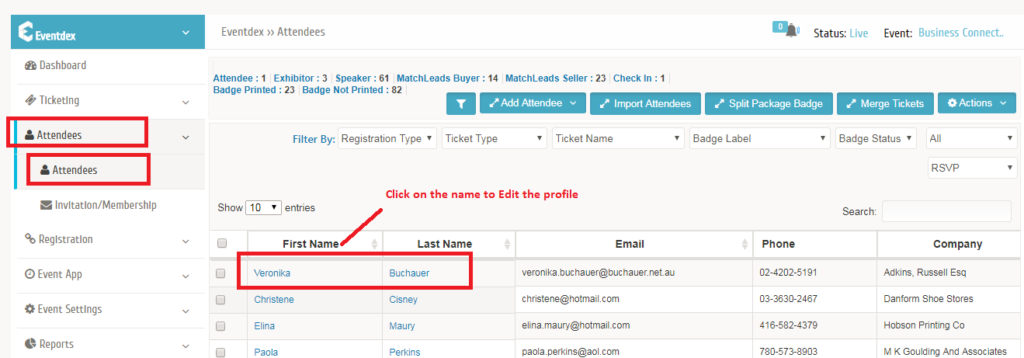
Step 2: You will see a pop-up after editing the profile as shown below
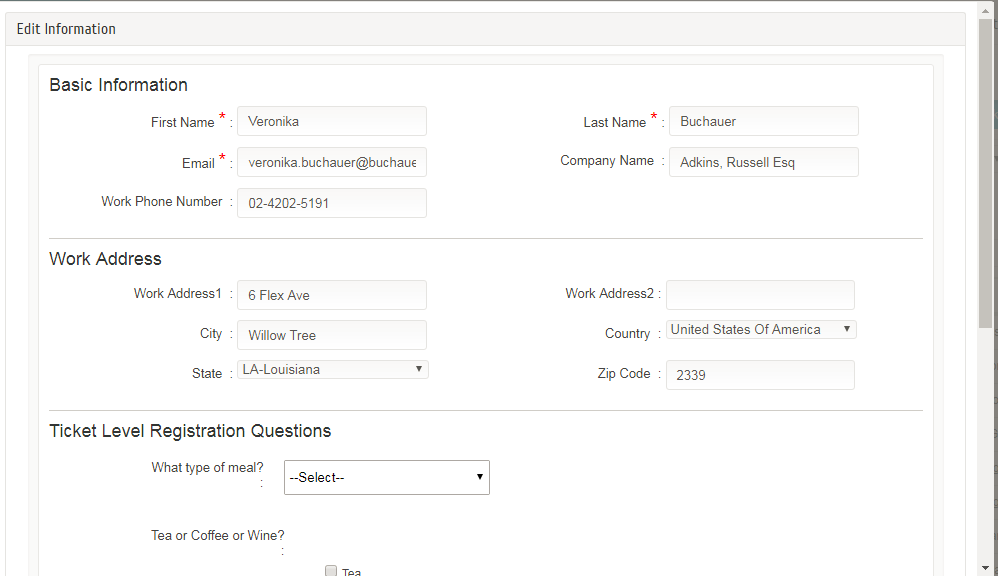
Step 3: Once you make the changes, you can hit Save to save the details.