How to add an Attendee manually?
By Krishna Vaaka
Follow the below steps to add the attendee manually.
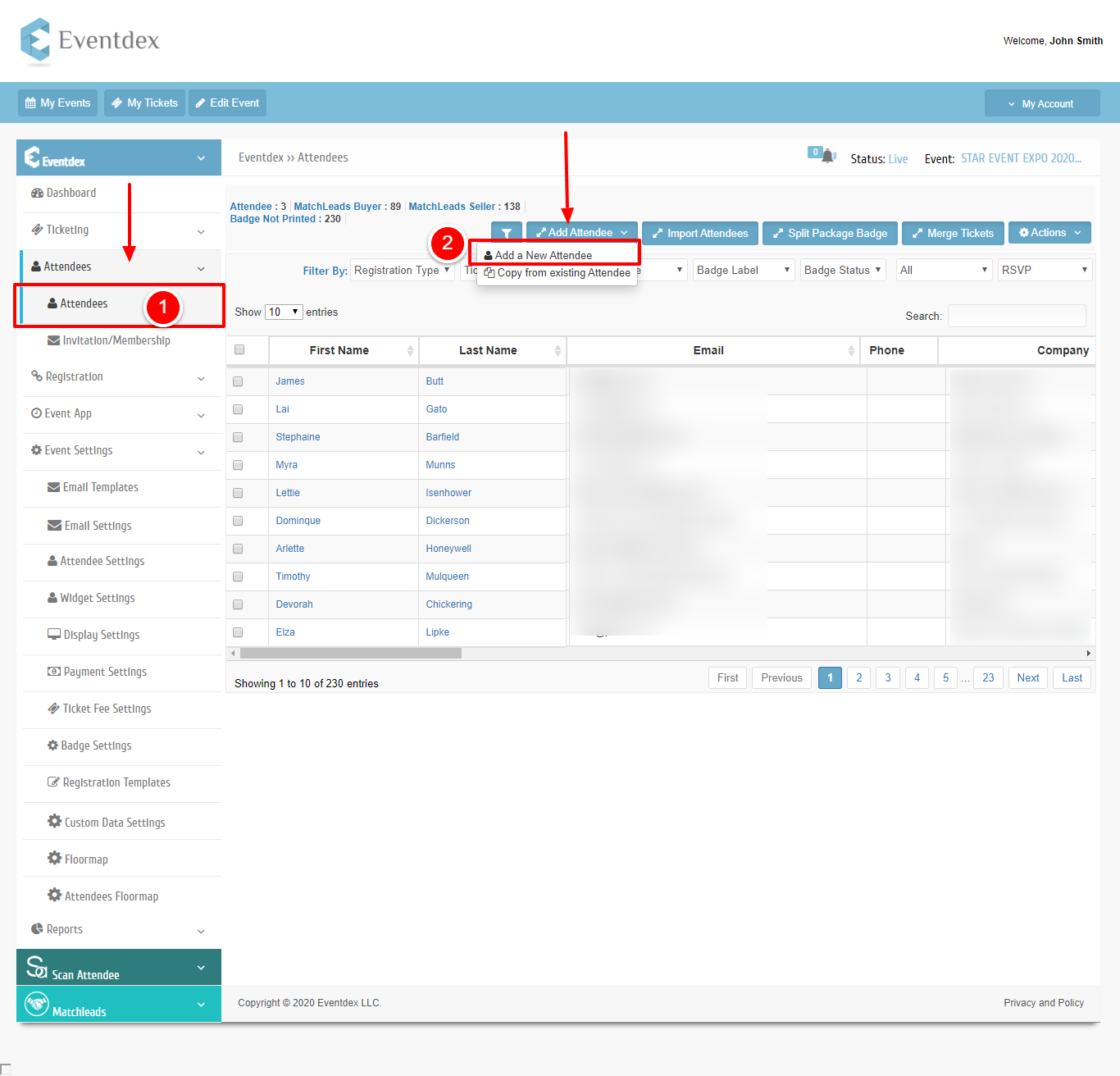
Step 1: Path: Log in into Eventdex >> Attendees >> Attendees
Step 2: Select the Add attendee tab it will pop up add new attendee option click it.
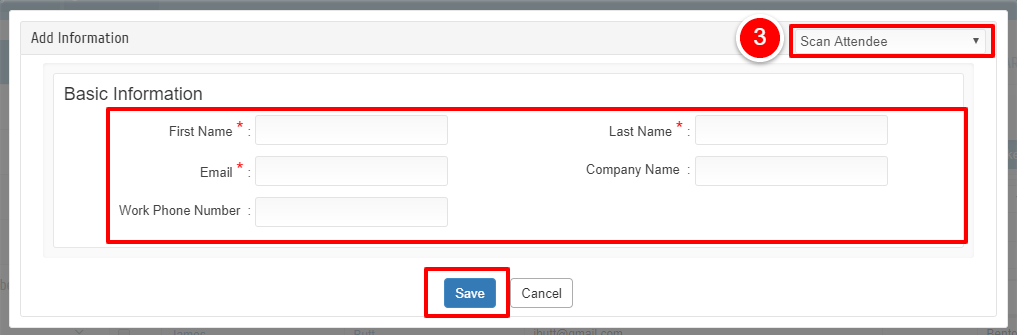
Step 3:Choose the ticket type and fill in the mandatory details and save.