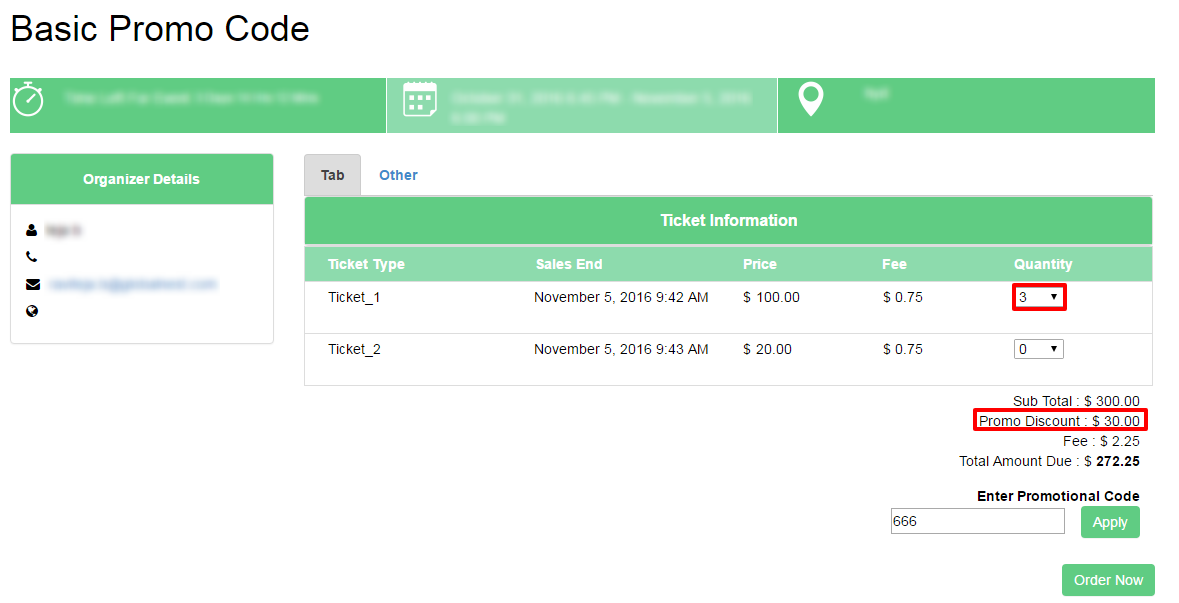
How “ Only apply promo code when it meets buy quantity” checkbox will work ?
By support
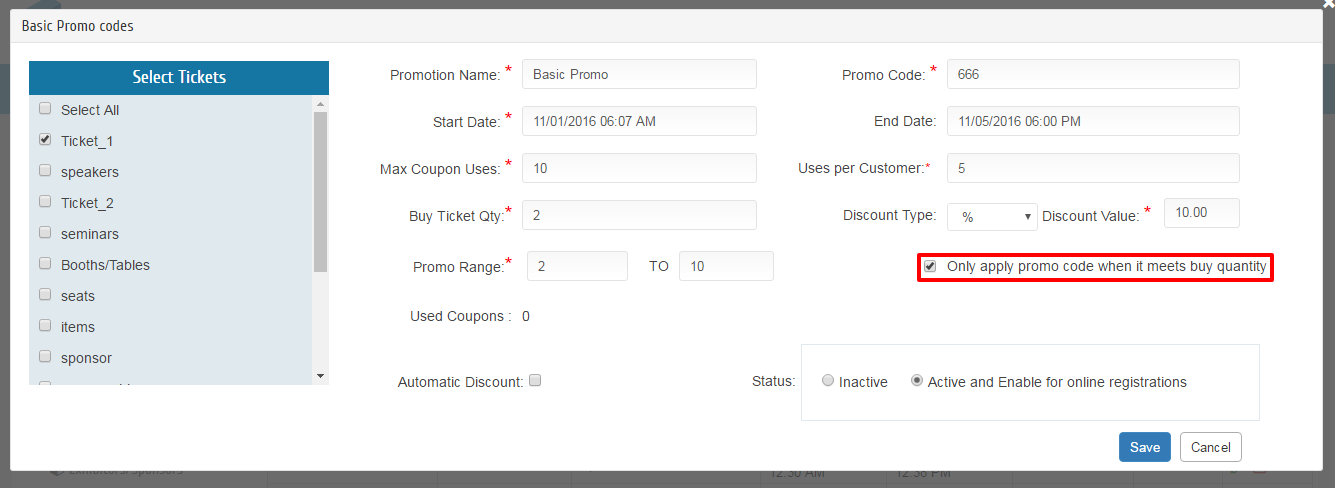
Step 1:Create a Basic Promo, give all the Required fields and select the tickets(Ticket_1), The Discount value for selected Tickets is 10% and Buy Ticket quantity is 2 with Checked ”Only Apply promo code when it’s meet buy quantity ”.
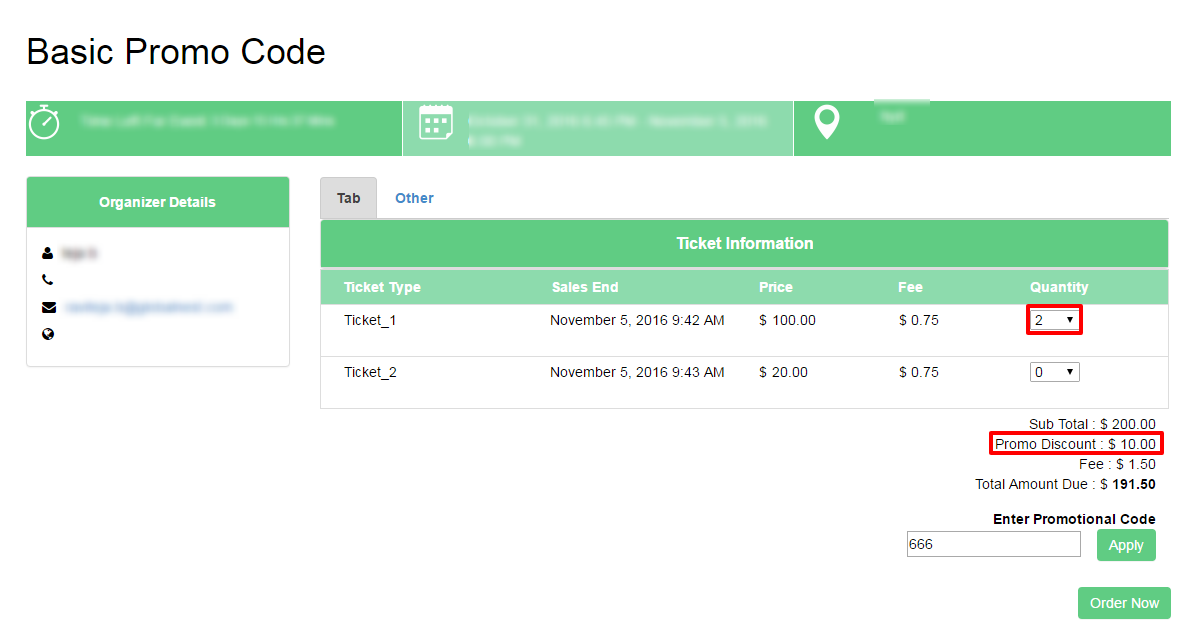
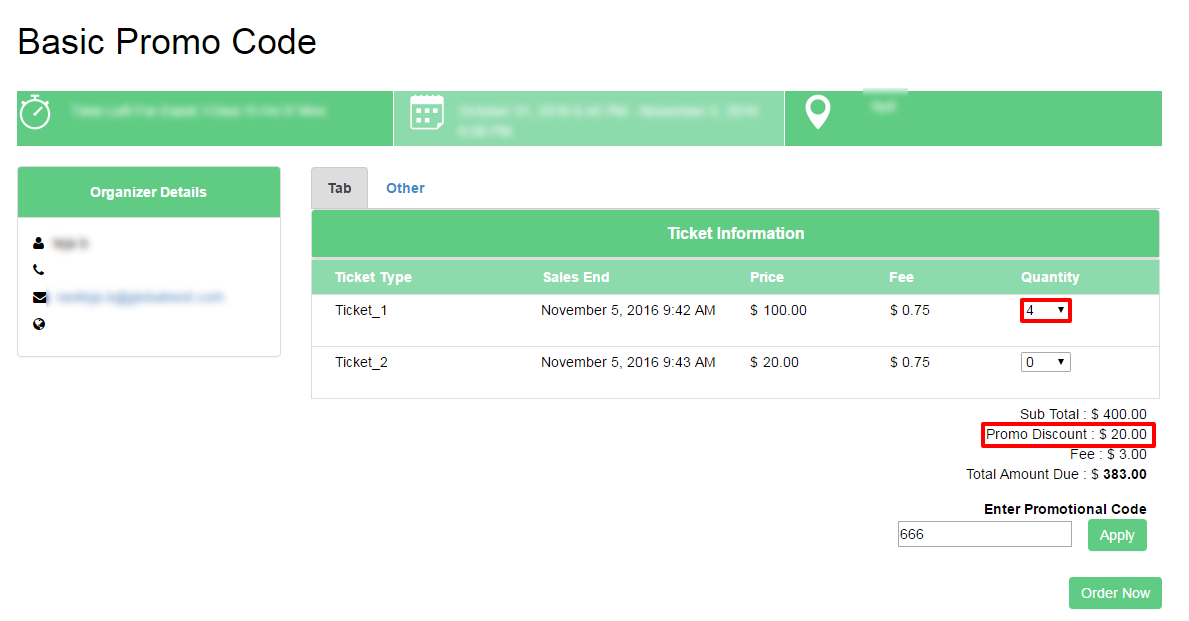
Step 2: In Registration page the Promo will applies multiples of the “Buy Ticket Quantity”
- If purchasing of two tickets (Ticket_1) will get 10% OFF of the Ticket_1.
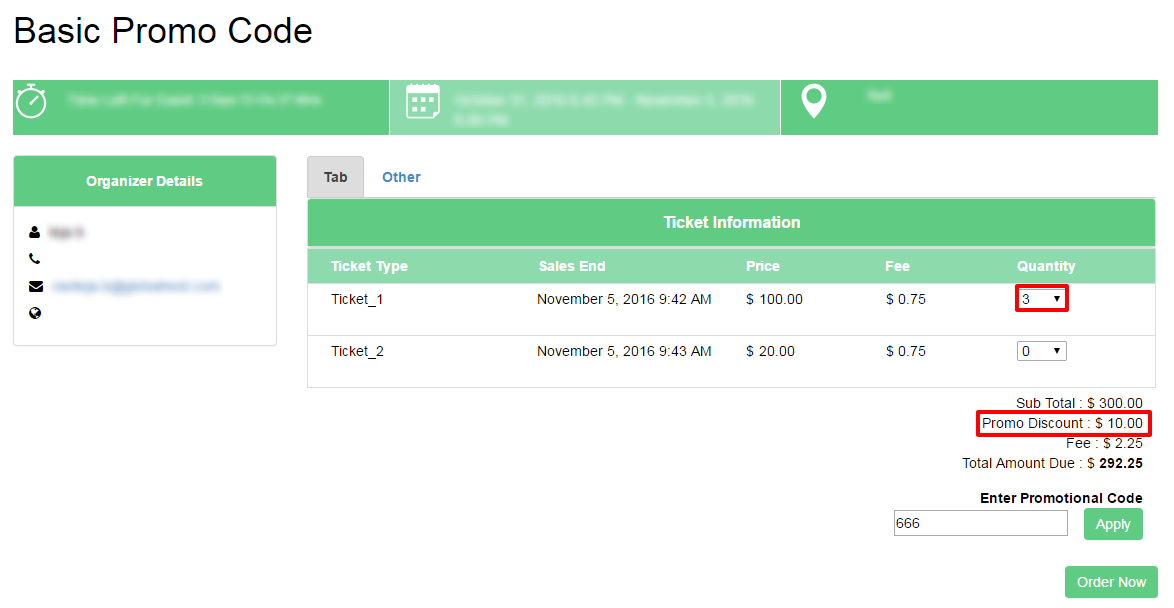
- If purchasing of three tickets (Ticket_1) will get 10% OFF of the Ticket_1.
- If purchasing of four tickets (Ticket_1) will get 20% OFF of the Ticket_1.
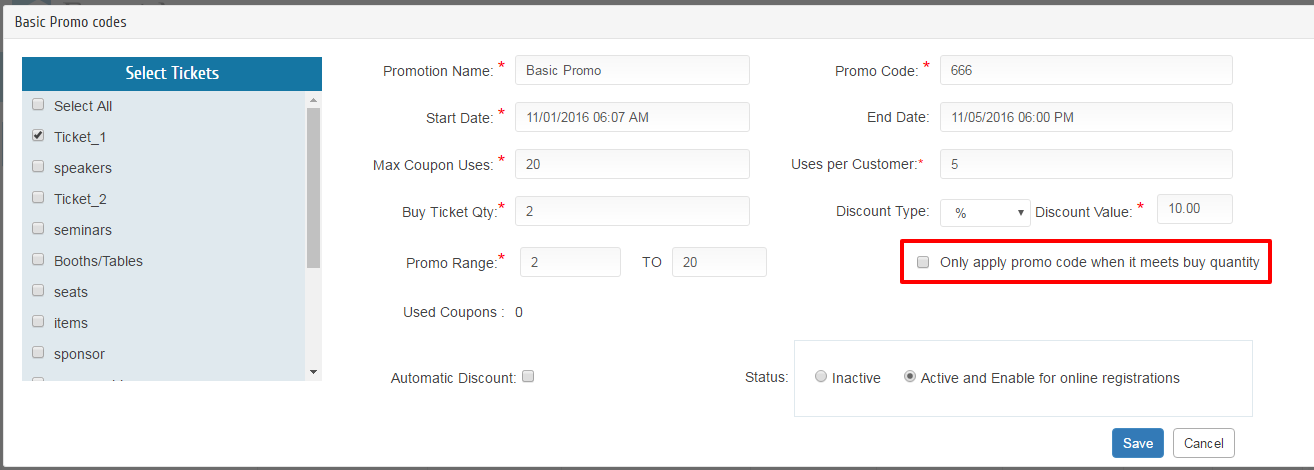
Step 3: Create a Basic Promo, give all the Required fields and select the tickets(Ticket_1), The Discount value for selected Tickets is 10% and Buy Ticket quantity is 2 with Unchecked ”Only Apply promo code when it’s meet buy quantity ”.
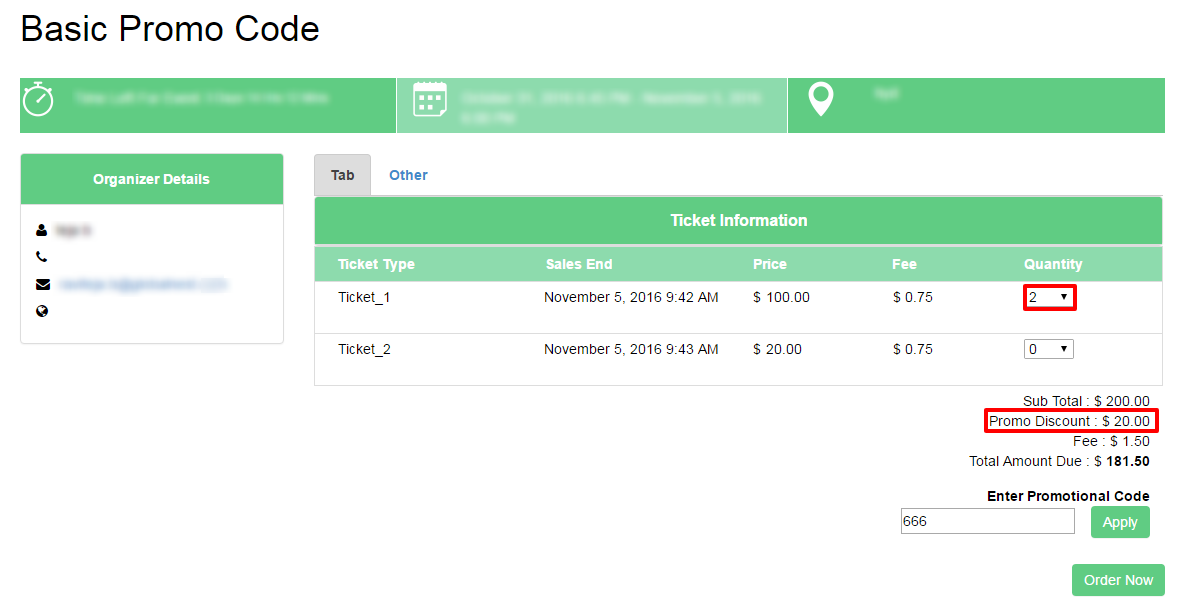
Step 4: In Registration page the Promo will applies each and every selected quantity of tickets.
- If purchasing of two tickets (Ticket_1) will get 20% OFF of the Ticket_1.
- If purchasing of three tickets (Ticket_1) will get 30% OFF of the Ticket_1.