
How to Assign Sessions to Scan Attendee App users?
By support
Path: Log in into Eventdex >> Scan Attendee >> Scan Attendee Settings
Step 1: Click on “Assign Session to User” tab.
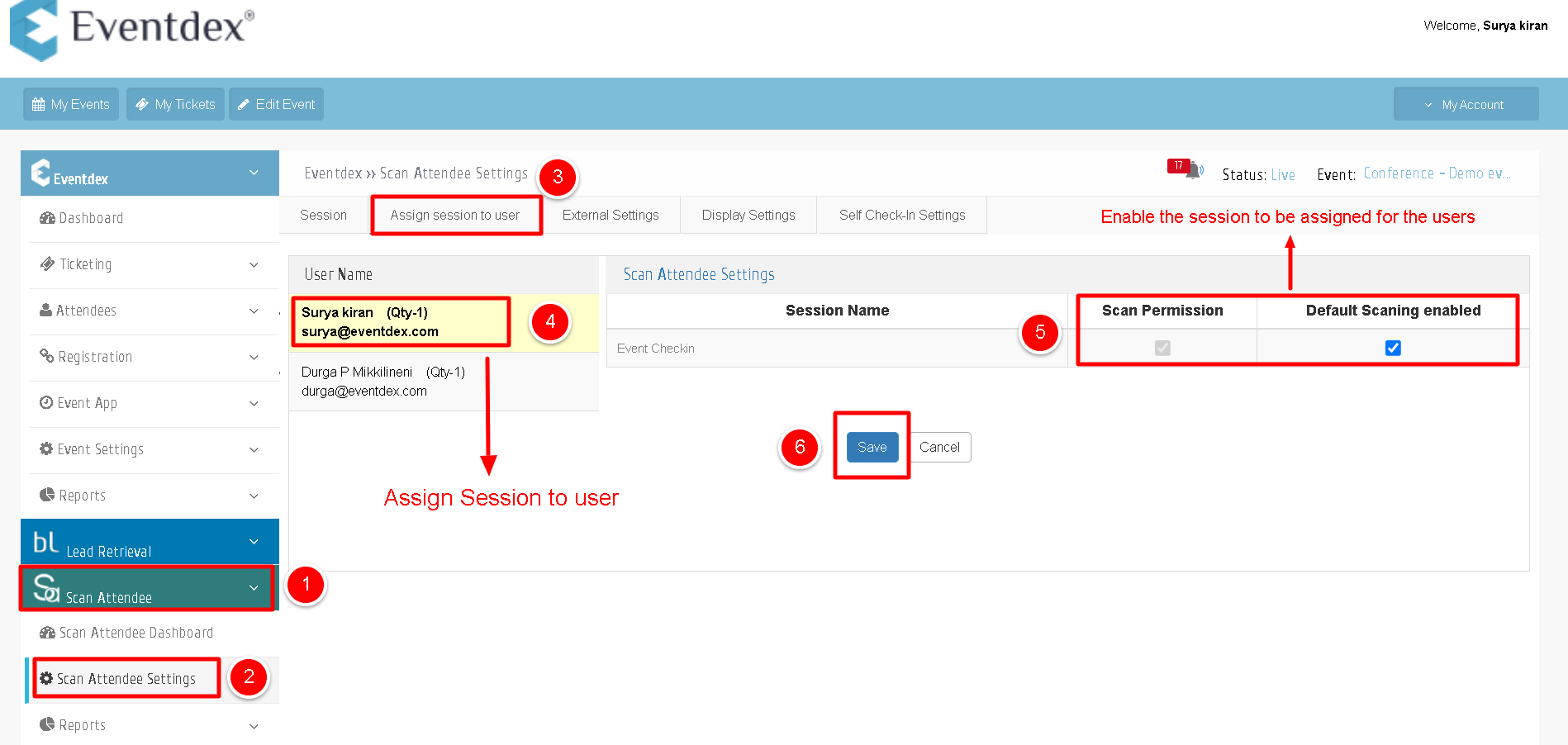
Step 2: Now the Scan Attendee App user is able to scan all badges whose tickets are enabled in the “Sessions” section.