
Promocode Report
By support
Step 1: Path: Eventdex Portal >> Login >> Select the Event >> Reports >> Tickets Report.
Step 2: Promocode report page will appear
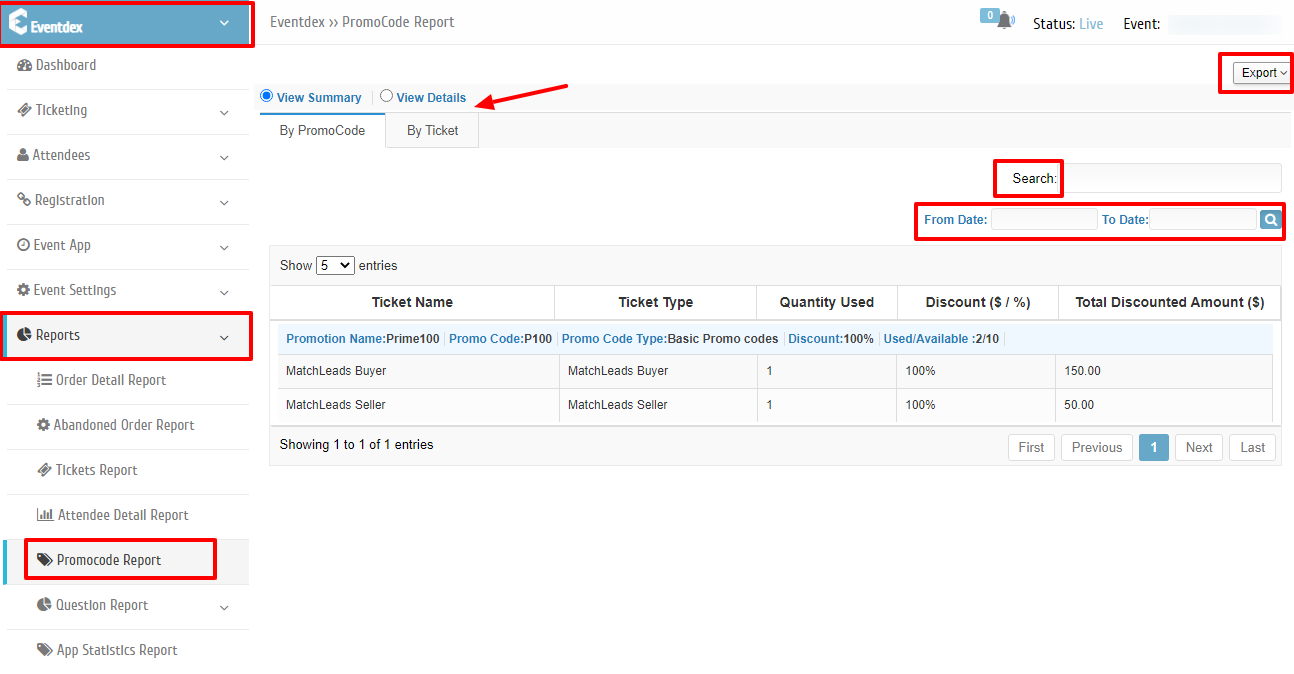
Promocode Report page consists of Two tabs: [View Summary] [View Details]
[View Summary] tab consists of two more sub tabs [By promo Code] [By Ticket]
View Summary > By Promo Code report: Promo Code wise ticket sale is displayed.
View Summary > By Ticket report: Ticket wise promo code usage will be displayed.
From Promo Code Report you can do the following:
| Button | Functionality |
|---|---|
| Export | To export Attendee Detail Report with a single click. |
| From Date , To Date Search | To search Attendees based on Order Date. |
| Search | Search an Attendee based on any field Value or Type within report. |