
Tickets Report
By support
Tickets report will give a clear summary of Ticket Level Information and Attendee Level information of a Ticket .
Path: Eventdex Portal >> Login >> Select the Event >> Reports >> Tickets Report.
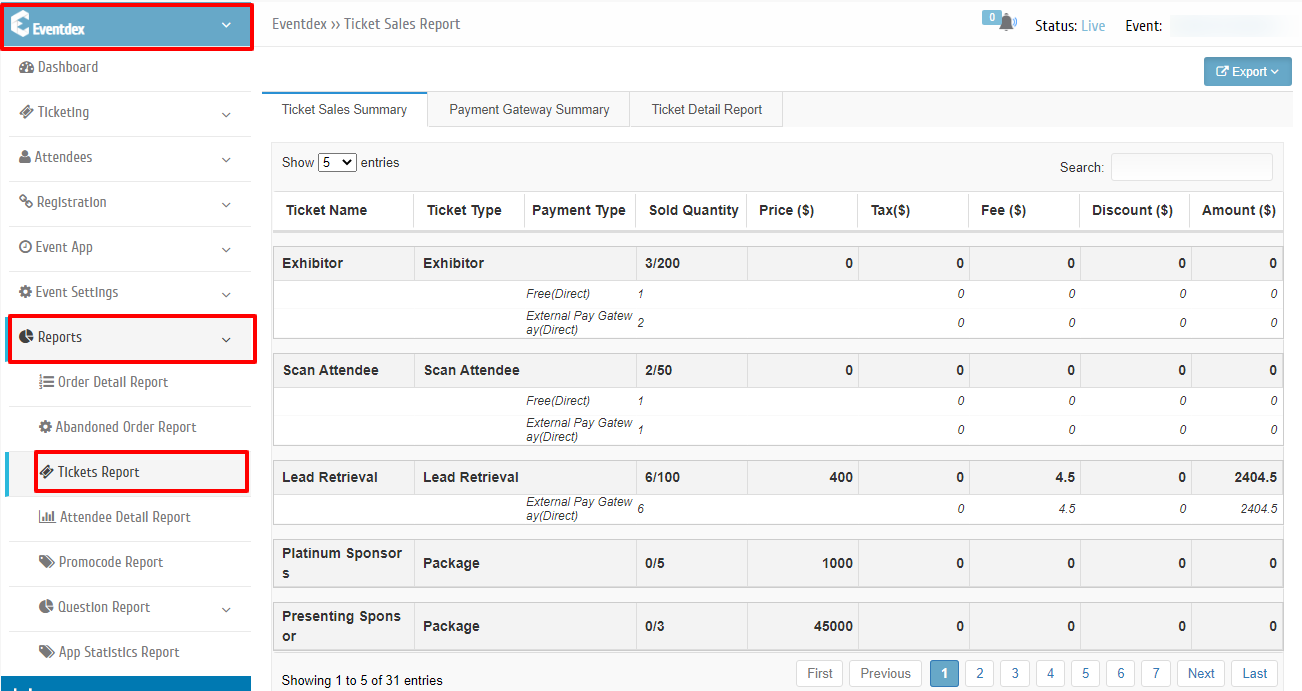
The Ticket Report consists of two sub tabs:
Ticket Sales Summary Report
Path: In ‘Reports’ tab click on Ticket Sales Summary
Ticket Sales Summary Report gives a overview of
- Ticket Level Information of each individual ticket with Total number of tickets sold through different payment types.
- It includes Ticket Name, Ticket Type, different Payment Types, Quantity of tickets sold through each payment type and revenue generated along with Tax, Fee and Discounts applied for each payment type.
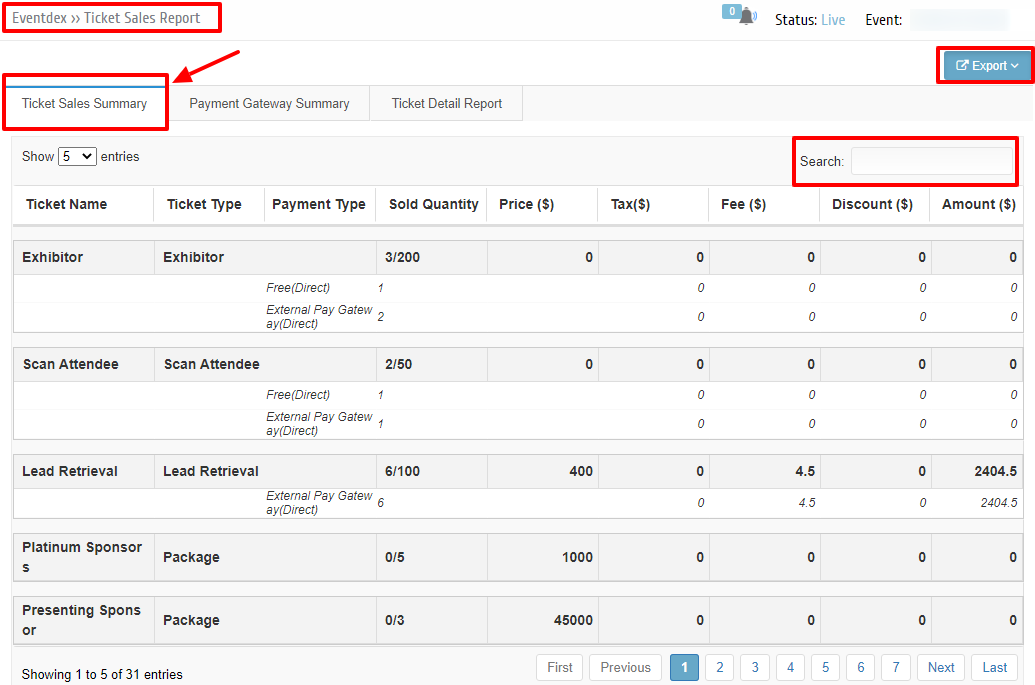
From Ticket Summary Report tab you can do the following:
| Button | Functionality |
|---|---|
| Export | To export Ticket Summary Report with a single click. |
| Search | Search work |
Ticket Detail Report
Path: In ‘Reports’ tab click on Ticket Detail Report
Ticket Detail Report gives a overview of
In Ticket detail report you can find each ticket Attendee level information
You can find the following information of the attendees Ticket details
- First Name and Last name of the Attendee
- Title
- Company Name
- Ticket No.
- Ticket Name
- Order ID
- Ticket Type
- Ticket Status
- Ticket Sale Date
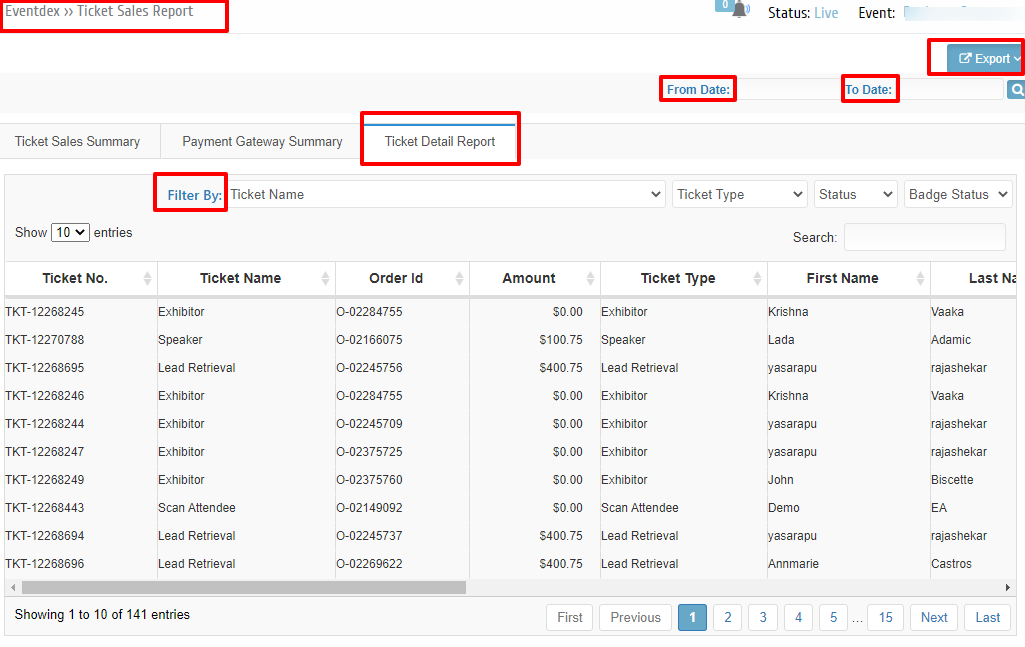
From Ticket Detail Report tab you can do the following:
| Button | Functionality |
|---|---|
| Export | To export Ticket Detail Report with a single click. |
| From Date , To Date Search | To search Tickets based on Ticket Sale date. |
| Filter By | Ticket Name, Ticket Type, Status (Booked, Cancelled, Abandoned), Badge Status |
| Search | Search work |
Note: Ticket Status will be Booked/Cancelled/Abandoned.