
As An Event Admin How Do I give access for the attendee to edit their profile?
By support
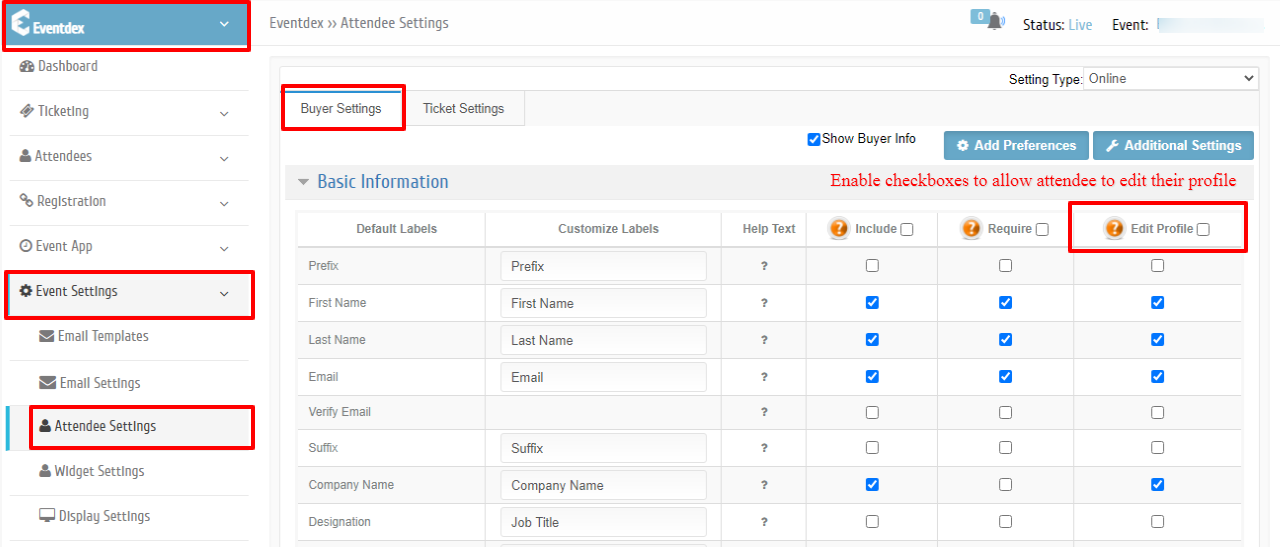
Step 1:Path: Eventdex Portal >> Login >> Select the Event >> Event Settings >> Attendee Settings
Step 2: Buyer Level Settings
Ticket Level Settings
Buyer Level Settings:
Enable the checkboxes in the “Edit Profile” section.
Click on “Save” button.
Ticket Level Settings:
Step 4: Select the required ticket for which you wanted to give edit access.
Step 5: Enable the checkboxes in the “Edit Profile” section.
Edit Profile :
(i) ”R” – Read-only: This Option allows the attendee to only view in order details when he logs into
Eventdex Portal.
(ii) “W” – Read and Write: This option allows the attendees to edit their profile in order details when he logs into Eventdex Portal.
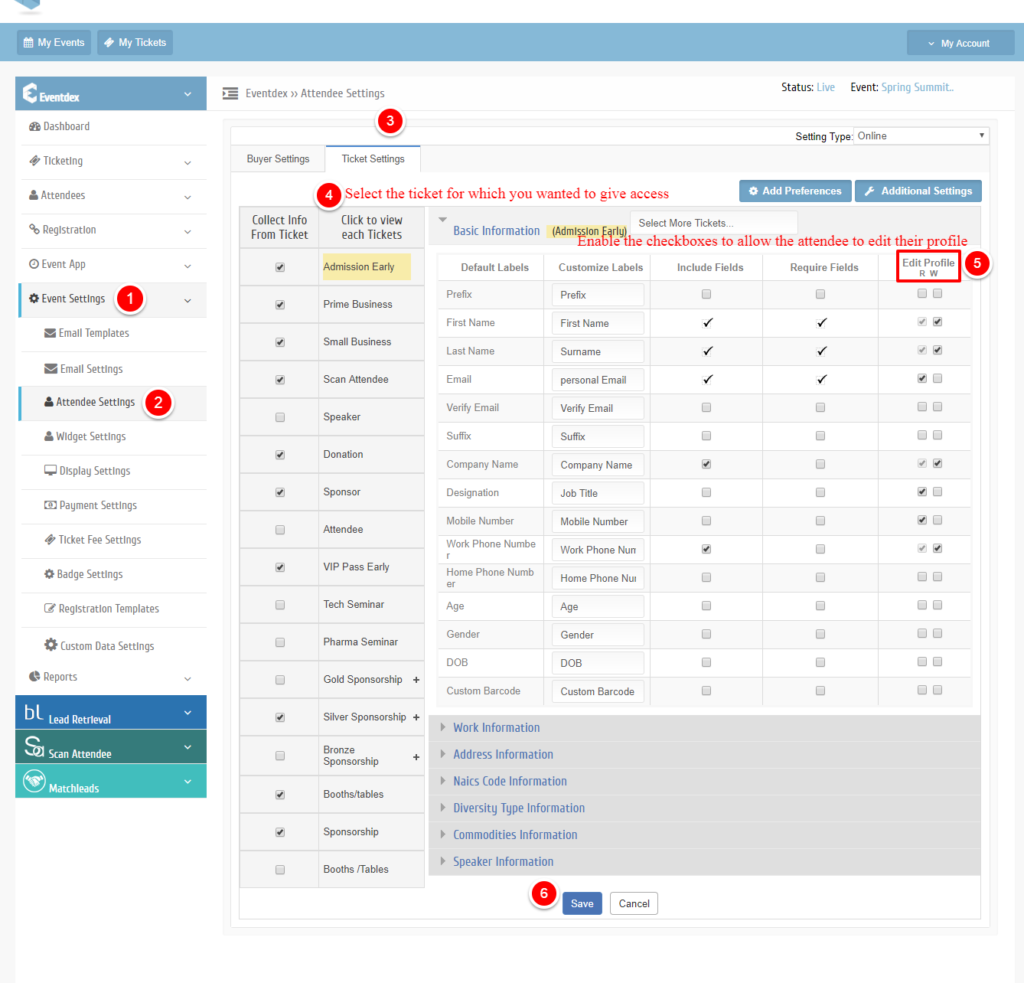
Step 6: Click on “Save” button.