
How to change the settings for different Ticket Confirmation Email Templates?
By support
Step 1. Eventdex Portal >> Login >> Select the Event >> Event Settings >> Email Settings
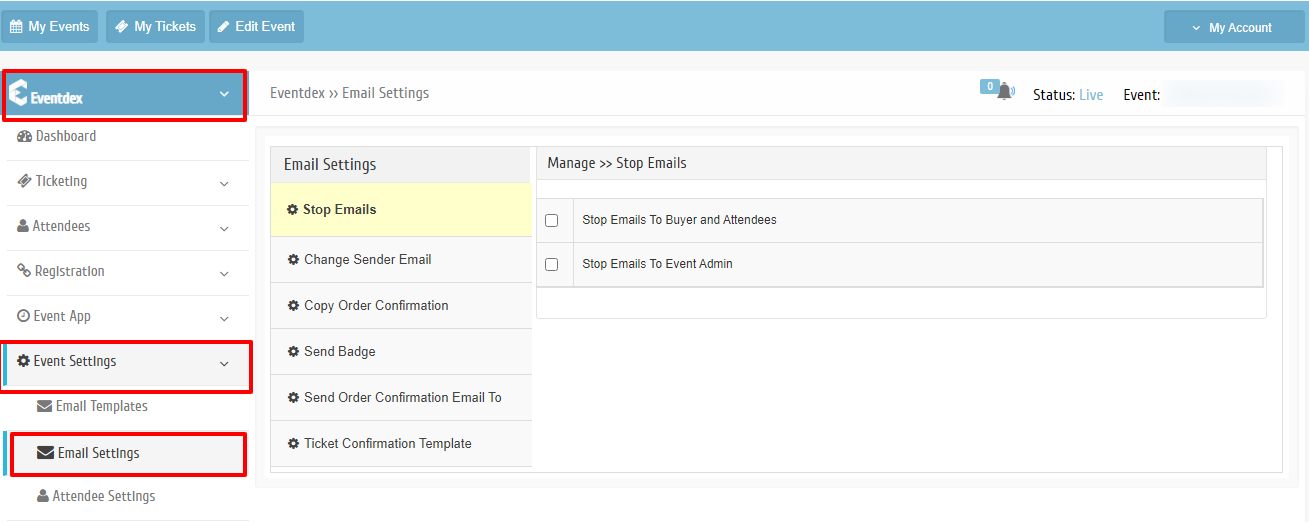
Step 2. Click on “Ticket Confirmation Template” tab.
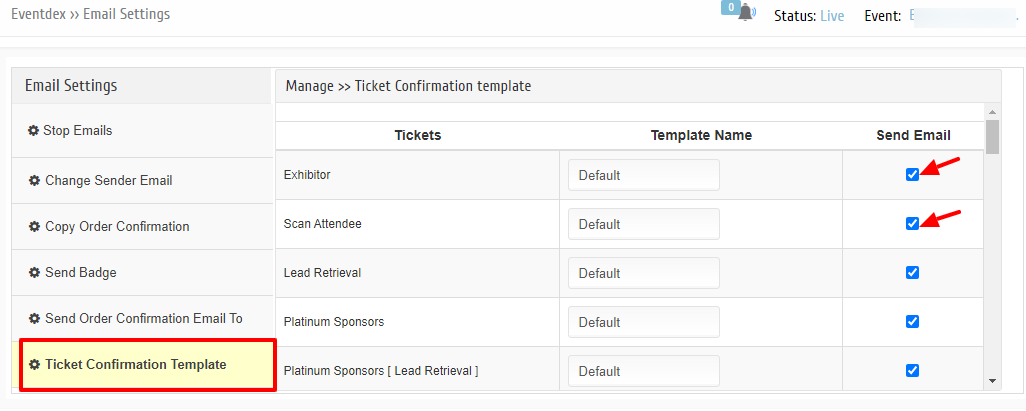
Step 4. Enable the preferred Tickets which you want to send by clicking on the “Send Email” column.