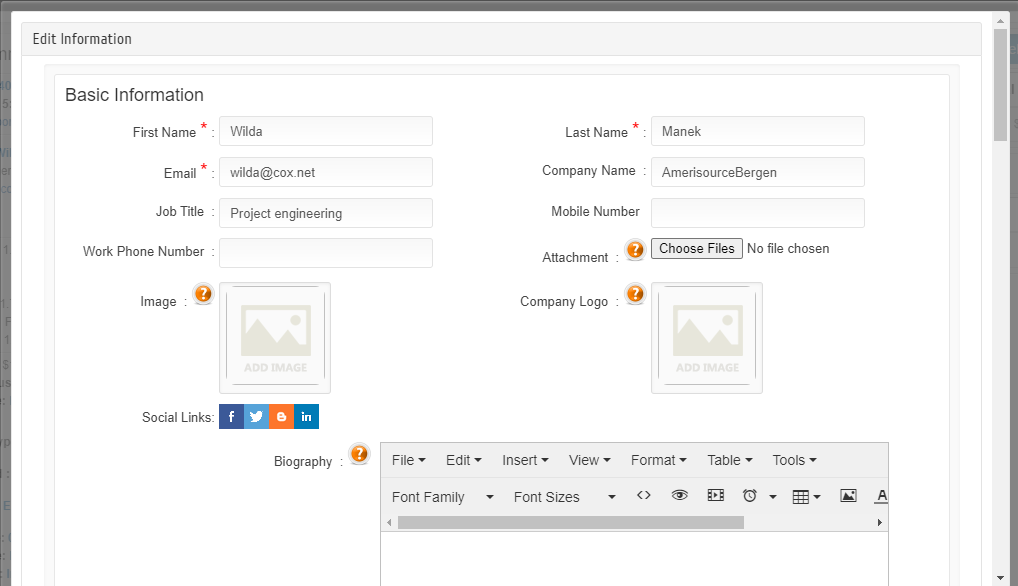
How to Edit Attendee Details from Orders?
By Krishna Vaaka
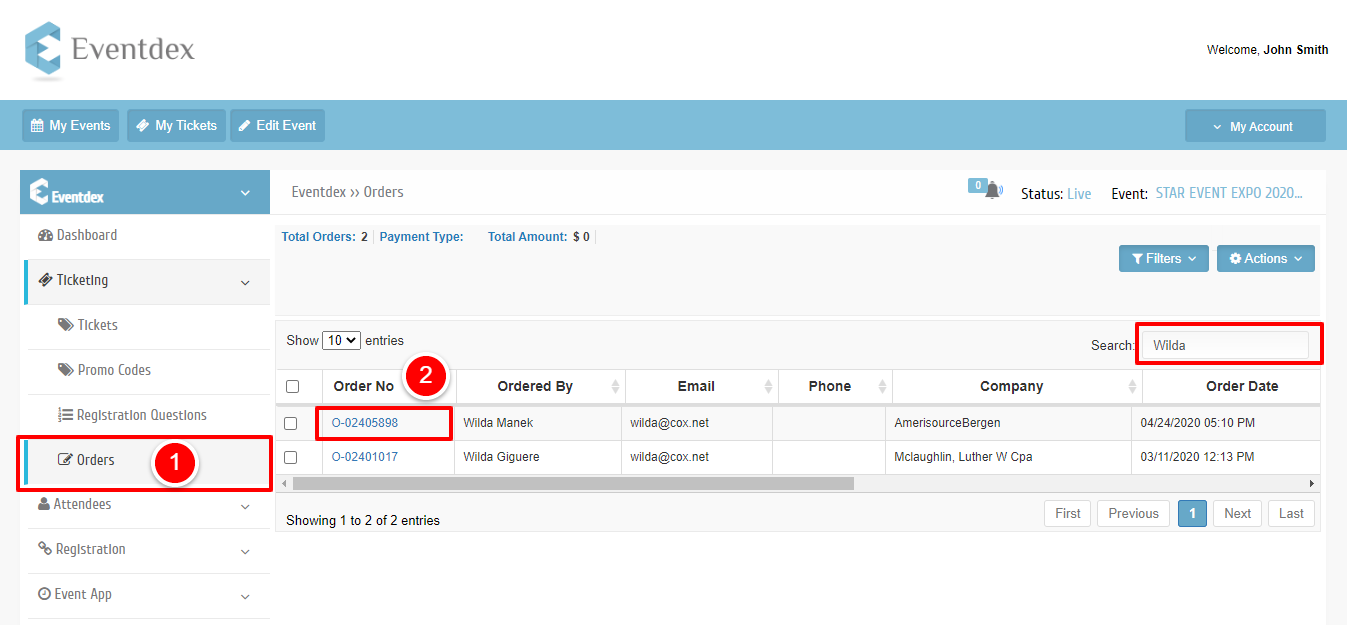
Step1: Please go to Orders under the ticketing section.
Step2: Look for the order or search the order by using the search box. Also, you can search with a name. Click on the preferred order no.
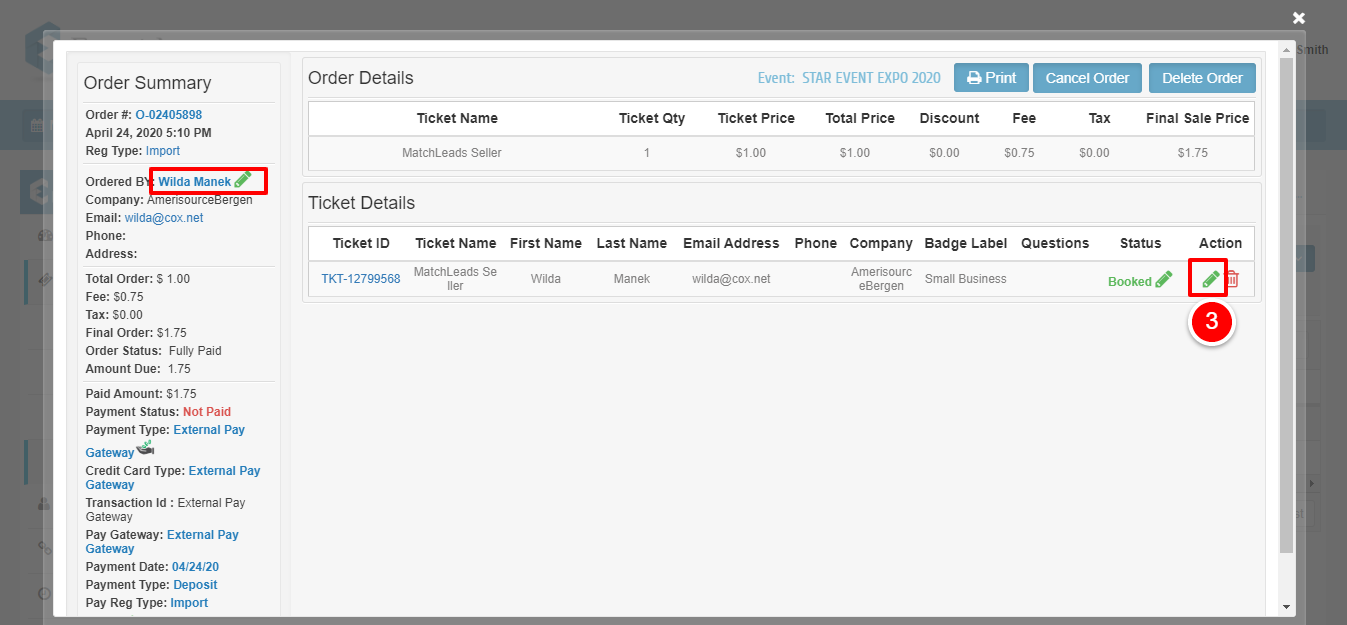
Step3: Pleases click on the pencilicon to edit the profile.
Note:
1. A pencil icon next to Order By: is who purchase the ticket details
2. Pencil icon under Action is who attends the event.
(It can be both most of the time)
Edit the details and save the changes.