How to Delete an Order?
By support
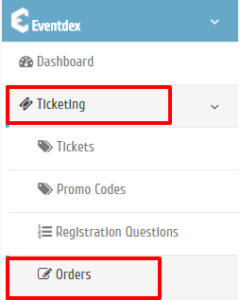
Step 1. Go to Ticketing >> Orders
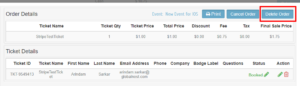
Step 2. Select the “Order No.” you want to Delete.

Step 3. Click on “Delete Order”.
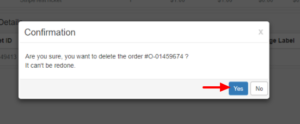
Step 4.Click “Yes” to confirm the deletion.

Knowledge Base
By support
Step 1. Go to Ticketing >> Orders
Step 2. Select the “Order No.” you want to Delete.
Step 3. Click on “Delete Order”.
Step 4.Click “Yes” to confirm the deletion.