How to Edit Sponsorship Category ?
By support
You can easily Edit the Sponsorship Category by following below mentioned steps.
Path: Log in into Eventdex >> Event App >> Sponsors
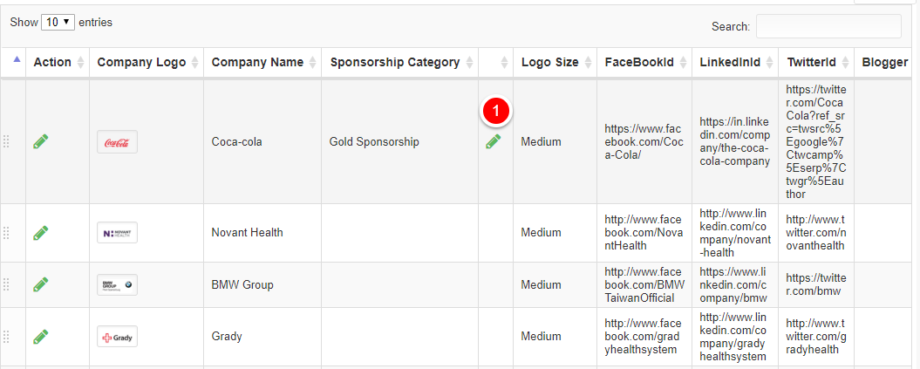
Step 1:Go to ” Sponsors” Section and click on the “Edit” tab of the “Sponsorship Category” column in the preferred Sponsor’s record.
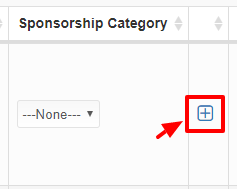
Step 2:Click on the plus button and enter the new Sponsorship Category details.
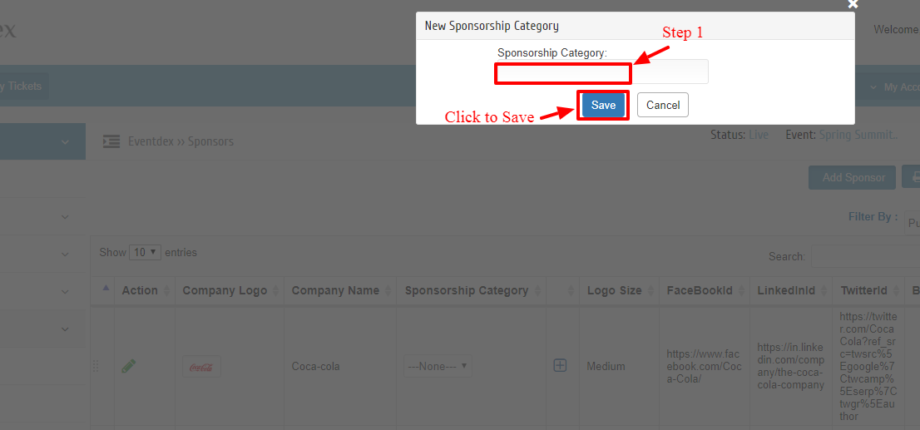
Step 3: Enter New Sponsorship Category details in the box and ” Save” to confirm it. OR
Click on ” Cancel” button to exit the “New Sponsorship Category” screen without saving changes.